The HIPAA-compliant tool stack for a solo dietitian
Build a HIPAA-compliant tool stack for a solo nutrition practice: which email, video, forms, storage and AI tools sign BAAs, and the common leaks to plug.
 By Javier Alvarez · 4 min read
Most HIPAA violations in solo practice come from convenience, not hackers. The session note emailed from personal Gmail. A client question answered over SMS. An intake PDF sitting in consumer Dropbox. Each felt harmless, and each put PHI into a tool with no Business Associate Agreement behind it.
A compliant stack for a solo RD in 2026 is neither expensive nor exotic. It mostly takes one filter, applied without exceptions.
The filter: the BAA
A Business Associate Agreement is a contract in which a vendor handling PHI on your behalf accepts HIPAA obligations. One rule settles most purchasing decisions:
No BAA, no PHI.
That holds even when it's "probably fine" or "encrypted anyway." If the vendor won't sign, or your tier doesn't include a BAA, client-identifiable information cannot touch that tool. This filter alone rules out most free tiers, because free consumer products almost never come with BAAs.
Two caveats. First, a BAA is necessary but not sufficient. You still have to configure the tool sensibly (access controls, 2FA, sensible sharing defaults), and you often have to enable the BAA in an admin setting instead of assuming it. Second, vendor terms change. Everything below reflects commonly known arrangements, and you should confirm the BAA in the specific plan you buy, in writing.
The stack, category by category
| Category | Works (with BAA on the right tier) | Doesn't qualify for PHI |
|---|---|---|
| Paid Google Workspace; paid Microsoft 365 business plans | Free Gmail, free Outlook, any consumer inbox | |
| Video | HIPAA-oriented telehealth platforms; healthcare tiers of major video vendors | FaceTime, standard consumer Zoom tiers |
| Forms and e-sign | Form/e-sign vendors offering BAAs on business/healthcare plans | Typical free form-builder tiers |
| Storage | Workspace/365 storage under the same BAA; business cloud tiers with BAA | Personal Dropbox/Drive/iCloud accounts |
| AI tools | Scribes and platforms that sign BAAs on paid tiers | Consumer AI chat tools without a BAA |
| Texting/reminders | Reminder platforms with BAAs, minimal-PHI messages | Raw SMS from your personal phone |
Some categories need more detail.
Paid Google Workspace can cover Gmail, Drive and Calendar under Google's BAA for included services, but you typically must accept the BAA in the admin console; it isn't automatic. Paid Microsoft 365 business plans offer equivalent coverage. Even with a BAA, keep clinical detail out of subject lines and confirm addresses before sending. The BAA doesn't cover you emailing the wrong person.
Video
Telehealth platforms built for healthcare include BAAs by default and are the easy choice. Major general-purpose vendors (Zoom among them) offer healthcare plans with BAAs. The word that matters is plans: standard consumer tiers don't qualify, and FaceTime has no BAA at all, so it's out however convenient it is. Vendor terms shift, so check again at purchase. While you're setting up video, get the billing side right too. See our guide to telehealth billing for dietitians.
Forms, e-signature, and storage
Your intake forms are PHI from the moment a client types a diagnosis into them. Use a form vendor whose plan includes a BAA, or better, an intake system inside a platform that's already covered. The same goes for e-signatures on consent documents and for wherever the completed PDFs live afterward.
AI tools
Scribes, charting assistants and automation platforms process the most sensitive content you generate: session audio and clinical notes. So the BAA filter applies in full. Reputable healthcare AI vendors sign BAAs on paid tiers. Consumer chatbots generally don't, and some free tiers use your inputs for training. Our guide to AI charting for dietitians covers what else to check, including recording consent.
Texting and reminders
Use a reminder platform with a BAA, keep messages to date, time, and a link (no conditions, no clinical content), and document client consent to receive texts. Solo RDs get in trouble through drift: the reminder thread slowly becomes a clinical conversation over unencrypted SMS.
The three common leaks
- The personal phone. Client calls and texts on your personal number put PHI in your personal message history, backed up to a consumer cloud with no BAA. Use a practice line or a covered communication tool.
- SMS with clinical content. "How did the new meal plan go with your glucose readings?" is PHI in plaintext. Move clinical conversation into a covered portal or email.
- Free-tier creep. A practice starts on paid Workspace but keeps a free Canva, Dropbox, or notes app in the workflow "just for this one file." The BAA filter has to apply to every tool PHI touches, not only the main ones.
The 10-item self-audit
Run this quarterly. Every "no" is a task.
- Does every tool that touches PHI have a signed BAA on file, including on the tier you actually pay for?
- Is your email a paid business plan with the BAA accepted in the admin settings?
- Do video sessions run only on a BAA-covered platform (never FaceTime or a consumer tier)?
- Are intake forms, consents, and their stored PDFs all inside covered tools?
- Is two-factor authentication on for every account with PHI?
- Is client communication off your personal phone number and personal inboxes?
- Do text reminders contain zero clinical detail, with client consent documented?
- Do your AI tools have BAAs, and is recording consent captured per session?
- Are old devices, downloads folders, and exports free of stray PHI?
- Could you list, from memory, every tool in your practice that stores PHI? (If not, inventory them today.)
For the fuller version with policies and training requirements, work through our HIPAA checklist for solo dietitians.
For a solo practice, compliance comes down to a short list of disciplined defaults. Apply the BAA filter once when you choose each tool, and you rarely have to think about it again.
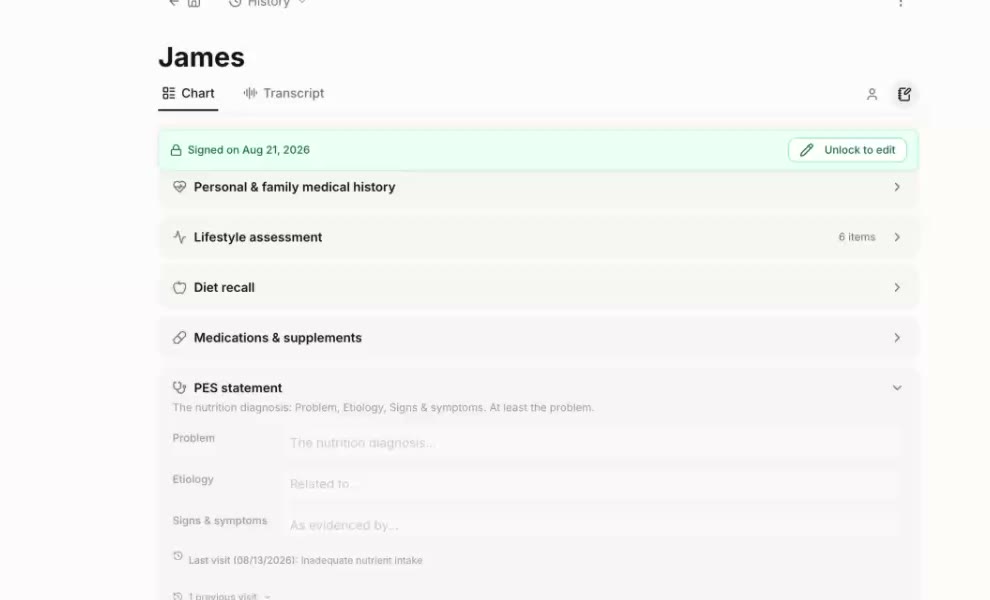
Fewer tools means fewer places for PHI to leak. Duo Practice records the session, drafts the note and the claim, and handles the billing in the same EHR, so session audio and notes don't pass through a separate scribe and billing tool. Create your free account. The EHR is free; billing is 3.9% of what an insurer pays, plus your own Claim.MD plan.
Frequently asked questions
Can I use free Gmail for my nutrition practice?
Not for anything containing PHI. Free consumer Gmail does not come with a BAA. Paid Google Workspace can include one for covered services once you accept it in the admin console, and paid Microsoft 365 business plans similarly offer BAA coverage. The free tiers of both do not qualify.
Is Zoom HIPAA compliant for telehealth nutrition sessions?
Standard consumer Zoom tiers are not appropriate for PHI. Zoom offers healthcare-oriented plans that include a BAA, and several telehealth-specific platforms are built around BAA coverage by default. Vendor terms change, so confirm the BAA is included in the specific plan you buy before running sessions on it.
Do AI tools like scribes need a BAA?
Yes. If session audio, notes, or any client identifiers pass through an AI tool, that vendor is a business associate and must sign a BAA. Many consumer AI tools' free tiers explicitly exclude BAAs and may use inputs for training, which makes them off-limits for clinical content.
Part of Telehealth. Start with Telehealth billing for dietitians: POS 10, 02 & modifier 95.